

NEUESTE VERSION
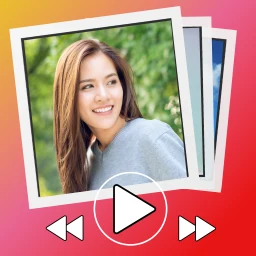
Slideshow with photo and video
Easily create video from photos and videos with transitions and music
APKPhotography
✓Kiểm tra tương thích trên thiết bị của bạn
8.9/ 10
- 0
- Downloads
- 2.1K
- Tests
- v1.9.7
- Neueste Version
Herunterladen
Preparing APK and XAPK…0%
APP-VORSCHAU
Slideshow with photo and video Screenshots
Wischen zum Entdecken
Über Slideshow with photo and video
The app will help you easily create a video from photos, video clips or from both photos and videos at the same time. Simply select the photos or videos you need. Select music from your phone or tablet. Your project is ready to save! If you want, you can configure different parameters for your project. Transitions: The "Photo Video Maker with Music" app allows you to choose your transition for each photo and video. The app offers more than 140 beautiful transitions: page flip transition, kaleidoscope, heart, drops on glass, 3d cube, transparent transition and many others. Transitions look beautiful both in photos and videos. Aspect ratio: In the app, from the main menu, you can select the aspect ratio of the finished video you need. Add music to a video: You can add music from your phone or tablet, as well as record your soundtrack using a microphone. Quality settings of the saved video: After clicking on the "Save Video" button, you can select "Settings". In the video saving settings, you can choose the quality of your saved video. The higher the resolution, the more resources you will need to save and the better the quality of the finished video. No watermark: The "Photo Video Maker with Music" app does not add a watermark to the video. Drafts: Your projects are saved in the "Drafts" section, so you can go back to editing your project later, make a copy of it, or delete it if you no longer need it. Filters: For each photo or video, you can customize filters such as saturation, brightness, contrast, vignette and others. Text: You can add text to each photo or clip. For text, you can customize the text colour, font (English fonts are available), shadow, stroke, background, etc. Time: Change the photo display time and the photo or video transition time. Photo and video cropping: You can easily crop both the photo and the video, leaving only the fragment you need. Audio set up for video: You can add different video fragments from your phone (sometimes these are short videos from YouTube, TikTok, etc.). These videos can have their own soundtrack or background music. The "Photo Video Maker with Music" app disables this background music from video elements by default. But you can turn it on in the settings of the desired video and adjust the volume. Smart photo cropping: AI helps you quickly find the image of a person in a photo and crop the photos so that people's faces are visible on them. Smart photo cropping is applied automatically. No Internet needed: The photo and video maker does not need the Internet to work. Your photos and videos do not need to be sent to the server to create a finished video. All the work of the app takes place locally on your phone or tablet. We strive to keep your confidential data safe. Share the finished video: If you want, you can share the finished video in a messenger, on social networks, or send it by mail. This way, you can congratulate your friends on their Birthday, Happy New Year, Merry Christmas, Easter, Mother's Day, Father's Day, Valentine's Day, wedding day, graduation, Defender of the Fatherland Day, International Women's Day, Cosmonautics Day or any other holiday.
- ↗Easily create video from photos and videos with transitions and music
Neu in Version v1.9.7
- Für diese Version wurde kein Änderungsprotokoll bereitgestellt.
COMMUNITY-BEWERTUNG
8.9/10
Review for Slideshow with photo and video
8.9/10 from 2,146 reviews
VERSIONSVERLAUF
Frühere Versionen von Slideshow with photo and video
KHÁM PHÁ RIÊNG CHO BẠN
Cá nhân hóa có kiểm soát
Lịch sử được lưu trong trình duyệt; server chỉ xử lý tín hiệu đã giới hạn để trả gợi ý và không lưu hồ sơ cá nhân.Đang nhận diện Android và ABI từ trình duyệt…
Cá nhân hóa đã tắt.
SoftSri sẽ không ghi nhớ app vừa xem hoặc danh mục thường truy cập trên trình duyệt này.
Phổ biến tại quốc gia của bạn
Xu hướng theo khu vực đã chọn.
Tiếp tục khám phá
Dựa trên app và danh mục bạn vừa xem.
Slideshow with photo and video
Entdecken
Alle anzeigen ↗Ähnliche Apps
02
App

Photography
AI Video Generator - Vimo AI
MobileOcean Bilisim
★ 9.0
Varies
03
App
Fotografie
Galerie – Fotogalerie, Archiv
iMediaStar
★ 9.2
Varies
04
App

Fotografie
TimeLab - Timelapse Creator
MobilePhoton
★ 4.5
Varies
05
App

Fotografie
InShot - video bearbeiten
InShot Video Editor
★ 9.7
Varies
06
App

Fotografie
Lightroom Foto- & Video-Editor
Adobe
★ 9.0
Varies
07
App

Fotografie
Remini - Einfach Bessere Fotos
Bending Spoons
★ 8.2
263.7 MB
08
App

Fotografie
Sexy Girl Foto-Video-Feed
Molamola
★ 7.8
Varies